How to cheat in Chess.com
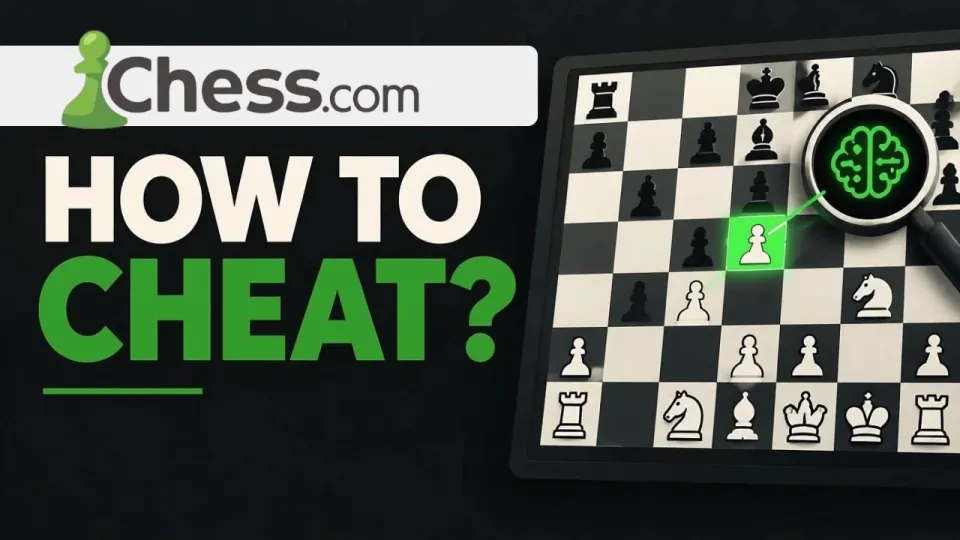
Video: How to cheat in Chess.com (Chess.com cheats)
· based on the channel Matyc
Cheating on Chess.com in the way most videos show means installing a browser overlay (a userscript or extension) that reads the board from the page, sends the position to a chess engine such as Stockfish, and displays the recommended move on top of the board. The tool promoted in the Matyc breakdown is distributed through the xmods.cc item page, which hosts the script and installation notes. It works technically, and that is exactly why Chess.com's detection systems are built to catch it.
The short version: the overlay gives you engine-strength moves in live games, the anti-cheat compares your play to engine output over many games, and the accounts that use it end up closed. Below is how the method is assembled, what signals give it away, and what the realistic outcome is.
How the Chess.com cheat extension method is assembled
A Chess.com cheat extension is a small piece of JavaScript that runs inside the browser tab where the board is loaded, so it can see the pieces without touching Chess.com's servers. In practice the setup follows the same pattern in almost every version of this tool:
- A userscript manager (Tampermonkey, Violentmonkey) or an unpacked browser extension is installed first.
- The script from the linked page is added and enabled for the chess.com domain.
- When a game starts, the script reads the position from the page's board state and forwards it to an engine — either bundled in the script or running locally via a Stockfish build.
- The engine returns the top move (often with an evaluation bar and a short line), and the overlay draws an arrow or highlights the square.
- The player makes the move manually, so from the server's point of view the move still arrives from a human client.
The last point is the reason these tools exist at all: nothing is injected into the game itself, only into your own browser. That also means the whole scheme depends on third-party code running with access to a session where you are logged in.
What Chess.com's anti-cheat actually measures
The anti-cheat is not looking for a suspicious browser tab; it is looking at your moves across a history of games. The main signals:
- Engine correlation. Every move in a finished game is compared against what a strong engine would play. A player who matches the engine's first choice on 80–90% of moves in a 40-move game is statistically far outside normal human play.
- Centipawn loss. The average drop in evaluation per move is tracked. Club players lose tens of centipawns per move; engine-assisted play loses almost none.
- Time per move. Consistent 2–4 second moves in complex middlegame positions, with no long thinks on critical moves, is a pattern that human players do not produce.
- Rating jumps. A jump of several hundred points in a short period, especially with a simultaneous rise in accuracy, triggers review.
- Consistency across formats. Players who are 1400 in blitz and suddenly 2100 in rapid with identical accuracy get flagged faster than someone whose ratings move together.
Detection is not instant. Reviews often run in batches, which is why forum posts about bans usually appear weeks after the games were played.
Why the overlay does not stay undetected
Any engine overlay produces the same fingerprint: near-perfect accuracy combined with fast, uniform decision times. Chess.com's fair-play team has years of labelled data from closed accounts, and the models are trained to separate engine-assisted play from strong human play, including players who deliberately blunder occasionally to lower their accuracy. Injecting a few weak moves does not fix the underlying centipawn-loss curve.
There is also a second layer: client and account signals. A brand-new account that starts at 1800-level accuracy, an account that only plays when a particular browser profile is active, or a device shared with previously closed accounts all add weight to a case. None of these alone proves anything, but combined with engine correlation they make a ban decision straightforward.
Consequences: what happens to a boosted account
Chess.com's fair-play policy treats engine assistance as a violation in every game type, including unrated games, daily chess and arena tournaments. When a case is confirmed, the typical outcomes are:
- the account is closed, or in some cases restricted and the rating is reset;
- games and tournament results involving the account are adjusted, and opponents may have their results corrected;
- the account is marked publicly as closed for fair play, which is visible on the profile;
- paid subscriptions are not refunded when the closure is for fair-play reasons.
The practical result is that the rating you boosted disappears along with the account, and the time spent on it is lost.
Typical questions from viewers of the tutorial
The comments under this kind of video repeat the same few problems, and they are worth knowing before installing anything. The most common is confusion about how to actually use the tool during a game: the script only draws a suggestion, so the player still has to move the piece themselves, and the overlay only appears once a game board is open and the script is enabled for the right domain. The second most common is "I can't find it" — usually the userscript manager is installed but the script is not enabled, the browser has blocked the extension on chess.com, or the page was not reloaded after installation. Users who report it working fine are typically on desktop Chrome or Firefox with a fresh profile. None of that changes the detection problem: a working overlay is a detected overlay, sooner or later.
Safer alternatives that actually raise your rating
If the goal is a higher Chess.com rating, the tools that survive scrutiny are the boring ones. Puzzle Rush and the daily puzzle build pattern recognition; the analysis board after each game shows exactly where the centipawns were lost; playing longer time controls (15+10 rather than 3+0) gives room to calculate; and studying one opening repertoire to move 10 removes the early blunders that decide most club games. Reviewing your own losses with the engine, rather than letting the engine play for you, is the difference between a rating that sticks and one that gets reset.
Conclusion
The method shown in the Matyc video is a real, working browser overlay — and that is the whole problem, because Chess.com's anti-cheat is designed specifically to catch engine-level accuracy, fast uniform move times and sudden rating jumps. Accounts that use it are closed, ratings are reset, and subscriptions are not refunded. If you still want to look at the tool described in the breakdown, it is on the xmods.cc item page; treat anything you install from a third-party page as code with access to your logged-in session. The honest route — puzzles, analysis and a fixed opening repertoire — is slower but it does not disappear overnight. Thanks to the Matyc channel for the original video breakdown that prompted this write-up.
Key takeaways
- The method shown in the video is a browser userscript/extension overlay that queries a chess engine (typically Stockfish) for the best move in the current position.
- Chess.com's anti-cheat compares your moves against engine recommendations and flags accounts with unusually high accuracy, low centipawn loss and fast move timing.
- Boosted accounts risk rating resets, account closure and a public fair-play flag; paid memberships are not refunded for fair-play violations.
- The linked site xmods.cc hosts the tool shown in the video; installing it means running third-party code with access to your logged-in session.
- Fair-play rules apply to all game types on Chess.com, including unrated, daily and arena tournaments.
Source: How to cheat in Chess.com (Chess.com cheats) · Markdown version
Questions & answers
How do I actually use the cheat extension during a game?
The script only reads the position and draws a suggested move on the board; you still have to move the piece yourself. It appears once a game board is open, the userscript manager is running and the script is enabled for the chess.com domain, and the page usually needs a reload after installation.
Why can't I find the script or the menu after installing it?
The most common causes are an installed manager with the script left disabled, the browser blocking extensions on chess.com, or an old tab that was never reloaded. Check that the script shows as active in the manager's dashboard and that the board page was refreshed after enabling it.
Can Chess.com detect engine assistance in unrated or daily games?
Yes. The fair-play policy covers all game types, including unrated games, daily chess and arena tournaments, and detection works from move accuracy and timing rather than from the rating at stake. Reviews often run in batches, so a ban can arrive weeks after the games.
What happens to my account and subscription if I get flagged?
Confirmed engine assistance typically leads to account closure or a rating reset, adjustment of affected tournament results, and a public fair-play mark on the profile. Paid memberships are not refunded when the closure is for a fair-play violation.